🎯 Kartu Produk E-commerce
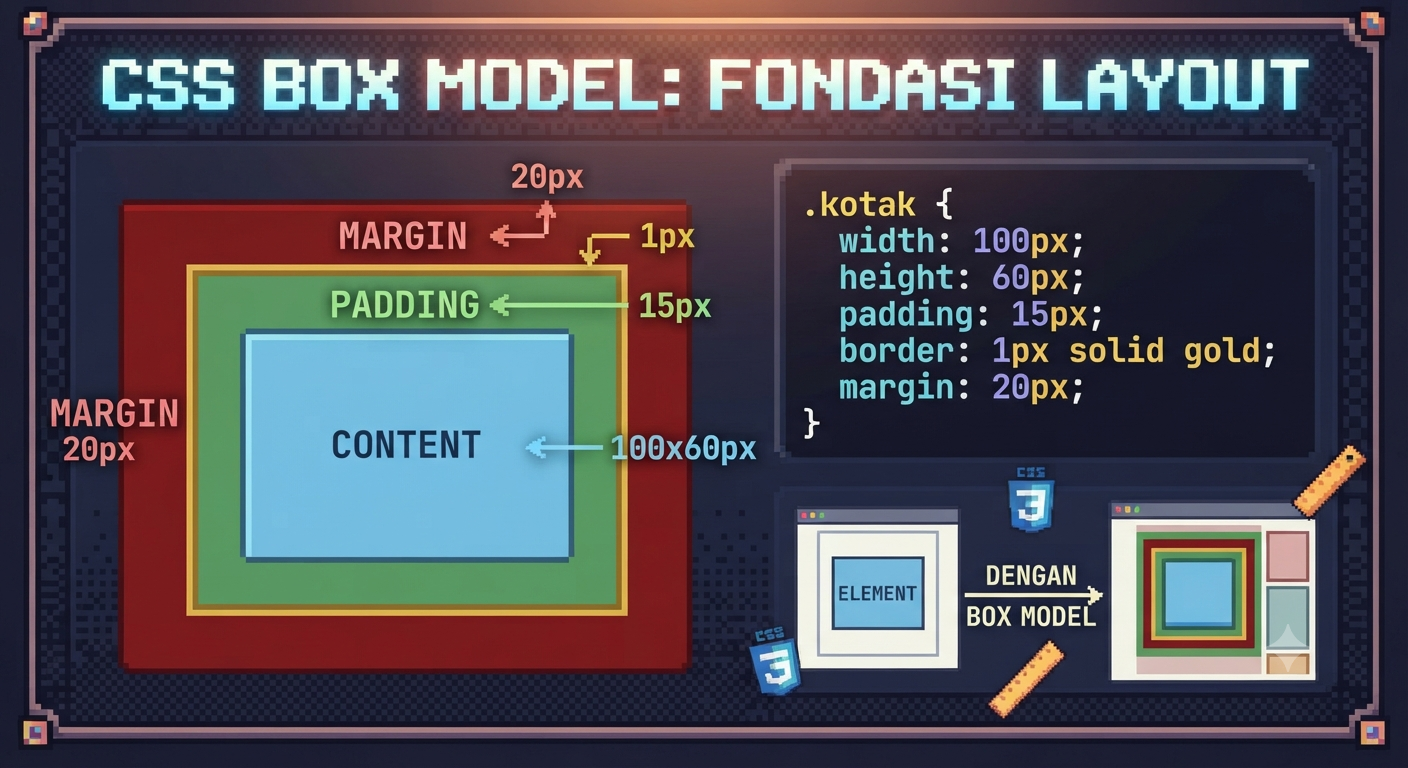
Buat kartu produk dengan gambar, nama, harga, dan tombol beli. Pahami bagaimana box model mempengaruhi ukuran dan posisi setiap elemen.
- Content, Padding, Border, Margin
- box-sizing: border-box vs content-box
- Width, height, min/max width/height
- Overflow: hidden, scroll, auto
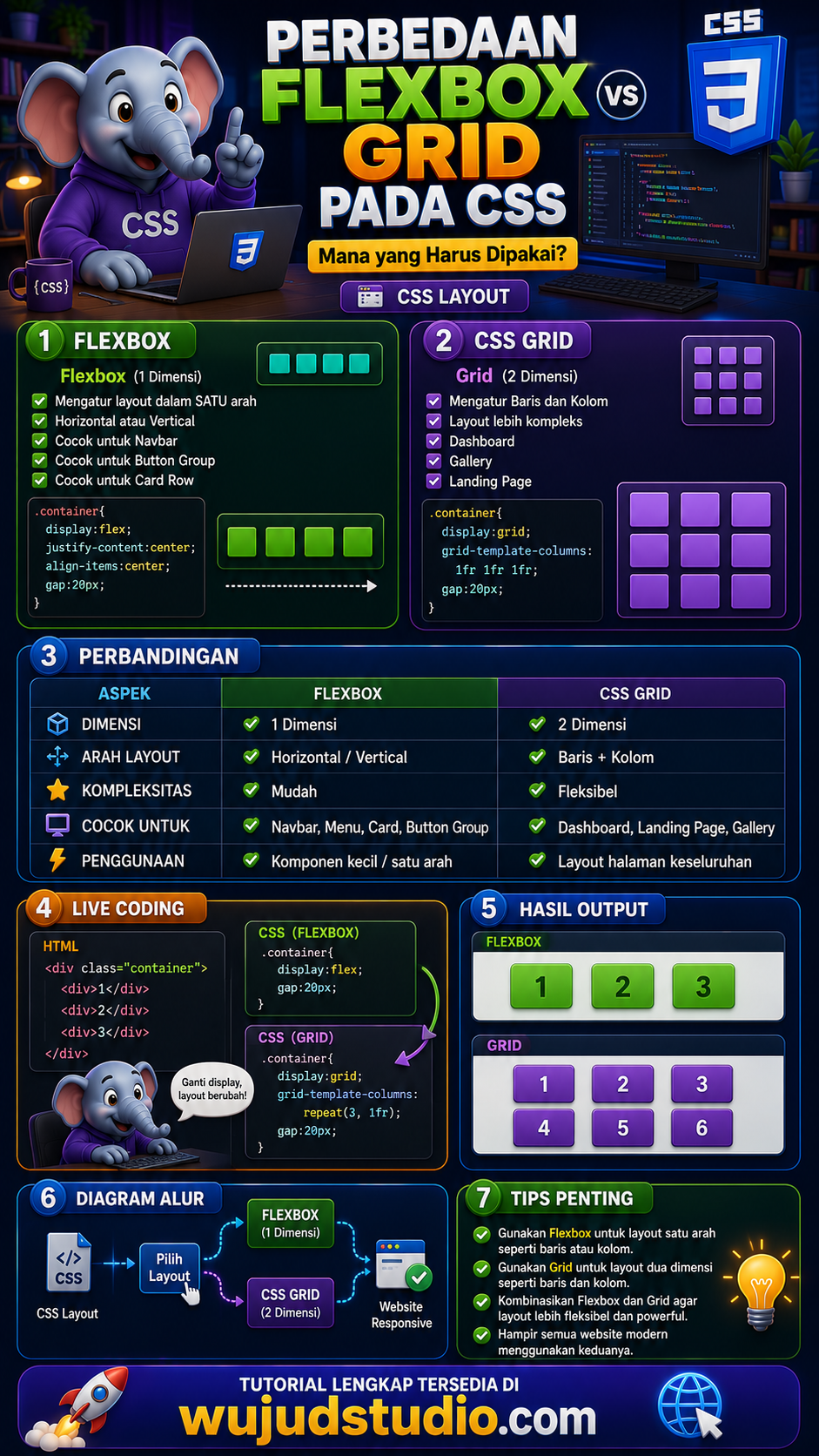
- Display: block, inline, inline-block
/* ============================
   HARI 3: Box Model
   ============================ */

/* PENTING: Selalu gunakan border-box! */
*, *::before, *::after {
  box-sizing: border-box;
}

.kartu-produk {
  width: 280px;
  background: white;
  border-radius: 16px;
  overflow: hidden;
  box-shadow: 0 2px 16px rgba(0,0,0,0.1);
}

.kartu-produk img {
  width: 100%;
  height: 200px;
  object-fit: cover; /* penting untuk gambar! */
  display: block;
}

.kartu-konten {
  padding: 20px; /* padding = jarak dalam */
}

.nama-produk {
  font-size: 18px;
  font-weight: 600;
  margin-bottom: 8px; /* margin = jarak luar */
}

.harga {
  font-size: 22px;
  font-weight: 700;
  color: #e53e3e;
  margin-bottom: 16px;
}

.btn-beli {
  display: block;
  width: 100%;
  padding: 12px;
  background: #3b82f6;
  color: white;
  border: none;
  border-radius: 8px;
  font-size: 15px;
  cursor: pointer;
  transition: background 0.2s;
}

.btn-beli:hover {
  background: #2563eb;
}